




TikTok Slideshow Downloader Without Watermark

Unwatermarked 1080p Slides

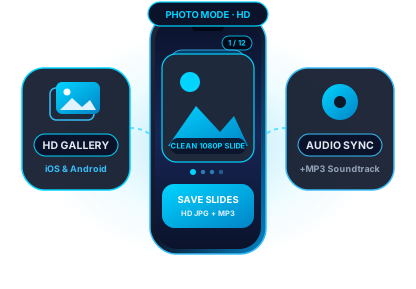
Extract every individual image from a TikTok Photo Mode carousel at native camera-roll resolution without the TikTok logo stamp.

Select Single or All Photos

Preview the entire multi-photo post on one page and save only the specific slides you want or grab the whole gallery.

Synced Carousel Soundtrack

Every TikTok slideshow includes a background audio track—download the accompanying music or voiceover as a clean MP3 file.

Download TikTok Photo Mode Carousels & Swipeable Slides in Full HD

TikTok Photo Mode allows creators to publish up to 35 swipeable high-resolution still images accompanied by background music. Taking screenshots on your phone captures low-resolution crops cluttered with UI buttons, progress dots, captions, and watermarks. The ssstktok TikTok Slideshow Downloader fetches the original, uncompressed image assets directly from TikTok's CDN so you can save crisp 1080p pictures and the full MP3 soundtrack in seconds.
How to download in 3 easy steps: How to download TikTok slideshow photos without watermark?

How to download TikTok slideshow photos without watermark?

  1. Copy the TikTok photo post link – Open the swipeable photo slideshow in the TikTok app or on tiktok.com, tap the Share button, and select Copy Link.
  2. Paste the URL into the Slide Downloader – Go to ssstktok.com, paste the copied link into the input field above, and press Download.
  3. Save individual HD photos or MP3 audio – Browse the extracted slide gallery and click Download Photo under any image you want, or click Download MP3 Audio to save the background music.


Why creators and collectors prefer ssstktok for TikTok photo carousels

True Native Image Resolution
Unlike screen captures that shrink images to your viewport, ssstktok retrieves the exact master photo uploaded by the creator.
Zero Corner Watermarks
Every slide is delivered completely clean—no TikTok icon, no creator handle badge, and no swipe-indicator dots.
Detached MP3 Audio Track
Love the song paired with a photo dump or outfit carousel? Save the full-length background audio track as a standalone MP3.
Supports Up to 35 Slides
Whether a post contains a 2-photo comparison or a 35-page tutorial deck, every single slide is indexed and ready to save.
No App or Login Required
Extract TikTok photo carousels directly in Safari, Chrome, Firefox, or Edge without signing in or installing third-party software.
Unlimited & 100% Free
Download as many recipe cards, travel guides, wallpapers, and fashion lookbooks as you need with zero daily quotas.

Direct Slide Extraction vs. Phone Screenshots & In-App Saving

When you use TikTok's built-in Save Photo option or take a manual screenshot, the image is altered with overlays or reduced in pixel density. Here is how direct CDN slide extraction compares:

Feature / Metricssstktok Slide DownloaderTikTok In-App SavePhone Screenshot
Watermark & Handle Stamp100% Clean (No Logo)Permanent WatermarkUI Buttons & Captions
Image ResolutionOriginal Master (1080×1920px)Re-compressed JPEGLimited by Screen Viewport
Background Audio TrackDirect MP3 Download IncludedNot AvailableSilent Image Only
Disabled Save BypassWorks on All Public CarouselsBlocked if DisabledRequires Manual Cropping

Ideal for Study Notes & Infographics

Many educators, fitness coaches, and chefs publish multi-slide infographics on TikTok. Saving clean slides lets you read fine text without the bottom caption blocking the lower third of the image.

Aesthetic Wallpapers & Moodboards

Photographers and digital artists share vertical 9:16 wallpaper dumps via Photo Mode. Our downloader preserves crisp color grading and sharpness for your lock screen.

Save TikTok photo slideshows on iPhone, Android, PC & Mac Save TikTok photo slideshows on iPhone, Android, PC & Mac

Download TikTok carousel pictures to iPhone & Android Camera Roll

On iPhone, iPad, or Android, open the TikTok photo post where you see the horizontal swipe dots at the bottom of the picture. Tap Share and tap Copy Link.

Open Safari or Chrome, paste the link above, and tap Download. Every slide appears as an individual card so you can save it straight to your iOS Photos library or Android Gallery without watermarks.

Download TikTok carousel pictures to iPhone & Android Camera Roll
Batch-save TikTok photo dumps on Windows, Mac & Linux

Batch-save TikTok photo dumps on Windows, Mac & Linux

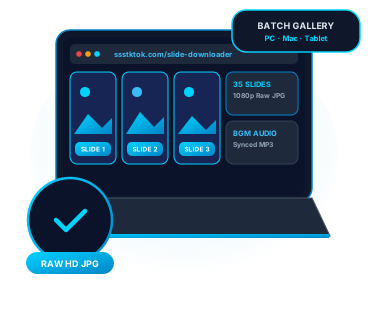
Researching visual trends, archiving product carousels, or collecting reference boards is effortless on a desktop browser. Copy the URL of any TikTok photo post from your browser address bar.

Paste the link into ssstktok and click Download. You can save individual high-resolution slides or grab the accompanying MP3 soundtrack to organize in your local folders.

Frequently asked questions about the TikTok Slideshow Downloader

Copy the link to the TikTok Photo Mode post, paste it into the Slide Downloader above, and click Download. Our tool separates the carousel into individual high-resolution images so you can download any specific slide without the TikTok watermark.

Yes. Alongside the individual download buttons for every photo slide, ssstktok provides a dedicated Download MP3 button at the bottom of the results so you can save the exact audio track playing behind the slideshow.

ssstktok supports the full TikTok Photo Mode specification, from 2-image posts up to the maximum 35-photo carousel limit. Every image in the sequence is displayed in order.

Slides are fetched directly from TikTok's media servers in their original high-resolution format (up to 1080p Full HD) and delivered as universally compatible image files ready for iOS Photos, Android Gallery, and desktop editors.

When you take a screenshot on your phone, you capture your screen's compressed rendering along with TikTok's semi-transparent text overlay, profile icons, and progress dots. ssstktok downloads the raw source image file before TikTok's app UI is drawn on top of it.

Yes, as long as the TikTok account and post are public. Even when a creator disables the in-app Save Photo toggle, pasting the public share link into ssstktok retrieves the clean slides.

Yes. It works natively in Safari on iOS. Once you tap download on a slide, you can save it to the Files app or tap Share -> Save Image to add it directly to your Camera Roll.

Yes. The ssstktok Slide Downloader is 100% free, requires no registration or subscription, and places no limits on how many photo carousels you can save.