




TikTok Sound Extractor — Original Audio & Ringtones

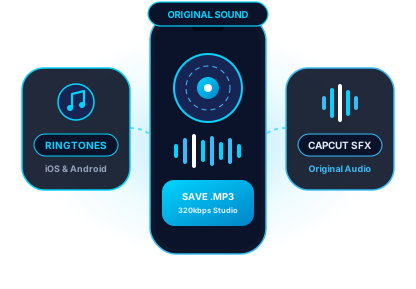
Original Audio & Voiceovers

Extract creator voiceovers, comedy skits, ASMR, and exclusive remixes directly from the video stream without background loss.

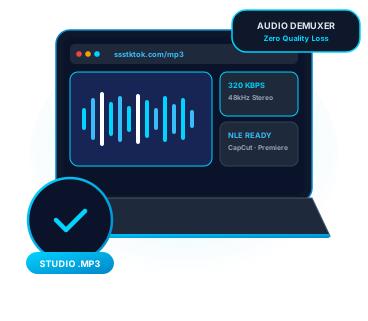
Editor & CapCut Ready

Download clean MP3 audio files that drop straight into CapCut, Premiere Pro, DaVinci Resolve, and Final Cut Pro timelines.

Custom Ringtone & Alarm Audio

Turn any viral TikTok sound or beat drop into a custom iPhone (GarageBand) or Android ringtone and morning alarm in under a minute.

Extract Viral TikTok Sounds, Creator Voiceovers & Custom Ringtones

TikTok is the launchpad for viral music edits, sped-up remixes, dialogue trends, and cinematic sound effects—many of which never appear on Spotify or Apple Music. While standard converters compress video audio into muffled files, the ssstktok Sound Extractor isolates the native audio stream directly from TikTok's CDN. Whether you are a video editor building a sound library for CapCut and Premiere Pro, or a fan turning a trending audio clip into a custom phone ringtone, you get a crisp, ready-to-use MP3 file in one click.
How to download in 3 easy steps: How to extract original sound or ringtone audio from TikTok?

How to extract original sound or ringtone audio from TikTok?

  1. Copy the link to the TikTok video or sound – Open the TikTok post featuring the sound effect, song remix, or voiceover you want, tap Share, and select Copy Link.
  2. Paste the URL into the Sound Extractor – Paste the link into the audio extraction box at the top of the page and press Download.
  3. Download the MP3 audio track – Click Download MP3 Audio to save the standalone sound file directly to your phone or computer for editing, offline listening, or ringtone setup.


Engineered for video editors, creators, and audio enthusiasts

Direct Audio Stream Isolation
We pull the dedicated audio track straight from TikTok's media servers without noisy screen-recording artifacts.
Instant NLE & CapCut Import
Downloaded MP3s use standard sample rates (44.1kHz / 48kHz) that import into CapCut, Premiere Pro, and DaVinci Resolve with zero sync drift.
Ringtone & Notification Ready
Set viral TikTok hooks as your Android ringtone immediately, or import the MP3 into iOS GarageBand to create a custom iPhone tone.
Extracts Photo Mode Music Too
Found a great song playing behind a TikTok photo carousel? Paste the slideshow link here to grab the full MP3 soundtrack.
90% Smaller Than Video Files
Archiving lectures, podcasts, interviews, and storytimes as MP3s uses a fraction of your phone's storage compared to full MP4 videos.
Zero Pop-Ups or Forced Apps
Extract unlimited TikTok sounds in your browser with no account sign-up, no watermarks, and no software installation.

TikTok Audio Source Types & Creator Workflow Guide

Not all TikTok audio tracks are structured the same way. Here is what our Sound Extractor delivers across different TikTok post types:

TikTok Audio CategoryExtracted Output FormatBest Creator / Personal Use Case
Original Creator Sound / VoiceoverDirect MP3 (44.1/48 kHz Stereo)Reaction edits, podcast clips, comedy lip-syncs & soundboards
Sped-Up / Slowed + Reverb EditsHigh-Bitrate MP3 TrackOffline workout playlists, gym mixes & transition edits
Viral Sound Effects (SFX) & MemesClean Trimmed MP3CapCut / Premiere Pro SFX libraries & notification tones
Photo Mode Carousel SoundtrackFull Loop MP3 AudioSaving background music from multi-slide photo dumps

How to Set a TikTok Sound as an iPhone Ringtone

1. Download the TikTok sound as an MP3 using ssstktok (saved to your iOS Files app). 2. Open the free Apple GarageBand app, create an Audio Recorder track, and import your MP3 from Files. 3. Tap My Songs, long-press your project, and tap Share -> Ringtone -> Export.

How to Import TikTok Audio into CapCut & Android Ringtones

On Android, open Settings -> Sound & Vibration -> Phone Ringtone -> My Sounds and select your downloaded MP3. In CapCut, tap Audio -> Sounds -> Folder icon (From Device) to drop the extracted MP3 straight onto your editing timeline.

Extract TikTok sounds on iPhone, Android, Windows & Mac Extract TikTok sounds on iPhone, Android, Windows & Mac

Save TikTok sounds to iPhone Files & Android Music folders

In the TikTok mobile app, open the video containing the audio or voiceover you want to keep. Tap the Share arrow on the right and tap Copy Link.

Paste the link above in Safari or Chrome and tap Download MP3. The audio file saves to your Downloads folder on Android and the Files app on iPhone—ready for offline playback, CapCut, or custom ringtones.

Save TikTok sounds to iPhone Files & Android Music folders
Build a viral sound effect library on PC & Mac

Build a viral sound effect library on PC & Mac

Video editors working in Adobe Premiere Pro, DaVinci Resolve, Final Cut Pro, or desktop CapCut can extract clean reference tracks and trending SFX directly from desktop browsers.

Simply copy any TikTok URL, paste it above, and click Download MP3. The audio file downloads immediately without bundling unwanted video streams.

Frequently asked questions about the TikTok Sound & Ringtone Extractor

Copy the link to the TikTok video that uses the original sound, paste it into the box above, and press Download. Our tool extracts the audio track directly from the post as an MP3 file, even for exclusive creator edits, mashups, and voiceovers.

Yes. The extracted MP3 uses standard audio encoding that imports cleanly into mobile editing apps like CapCut and InShot as well as desktop NLEs like Premiere Pro, Final Cut Pro, and DaVinci Resolve.

After saving the MP3 to your iPhone's Files app via Safari, open Apple's free GarageBand app, import the MP3 from Files onto a 30-second timeline, and export the project directly as a Ringtone in iOS Settings.

Android supports MP3 ringtones natively. Once you download the sound, open your phone's Settings -> Sound & Vibration -> Ringtone (or Clock app for Alarms) and pick the downloaded MP3 from your device storage.

No. ssstktok pulls the highest bitrate audio stream hosted on TikTok's CDN without re-recording it through a virtual microphone, preserving full vocal clarity and bass response.

Yes. Paste any TikTok Photo Mode carousel link into the box above and click Download MP3 Audio to save the background song without downloading the individual images.

Downloaded MP3s are great for personal offline listening, custom ringtones, and practice edits. If you plan to monetize or publish a commercial video on YouTube or Instagram, always verify the copyright status of the underlying music track.

No. Whether it is a 3-second meme sound effect or a 10-minute storytelling monologue, ssstktok extracts the complete audio track for free.