




TikTok Story Saver — Anonymous & No Watermark

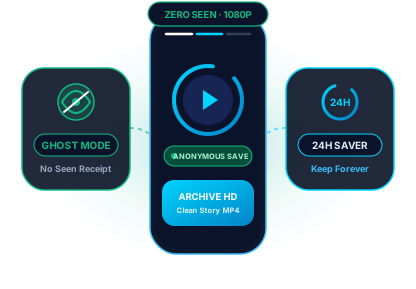
100% Ghost Mode (No Seen)

Watch and archive public TikTok stories without your username ever appearing in the creator's Story Views list.

Archive 24h Ephemeral Clips

Preserve daily behind-the-scenes clips, Q&As, and limited-time announcements permanently before the 24-hour timer runs out.

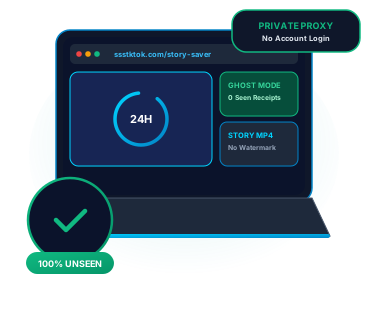
Zero Account or App Login

Never connect your personal TikTok profile. Paste the public story link and save clean Full HD MP4 video or MP3 audio.

Archive Ephemeral 24-Hour TikTok Stories with Complete Privacy

Unlike regular feed videos, TikTok Stories are indicated by a glowing blue ring around a creator's avatar and self-destruct permanently after 24 hours. Watching a story inside the official app immediately logs your profile in the creator's viewer list. The ssstktok Story Saver acts as an anonymous cloud proxy—fetching the raw, unwatermarked 1080p MP4 story stream so you can watch and keep it offline without leaving a digital footprint.
How to download in 3 easy steps: How to save a TikTok story anonymously without being seen?

How to save a TikTok story anonymously without being seen?

  1. Grab the public TikTok story URL – Copy the share link of the active TikTok story while the 24-hour blue profile ring is live.
  2. Paste the link into the Story Saver – Paste the URL into the box at the top of this page and click Download.
  3. Save clean MP4 video or MP3 sound – Click Download MP4 (No Watermark) to archive the full-resolution story clip, or select Download MP3 to keep the background audio.


How ssstktok Story Saver protects your privacy and video quality

Zero 'Seen' View Receipts
Because our server resolves the media stream without a logged-in user session, your identity is never transmitted to the story author.
Clean Unwatermarked Frame
Archive stories without the bouncing TikTok logo, username tag, or ending watermark screen—perfect for clean cross-posting.
Beat the 24-Hour Expiration
Once a TikTok story hits 24 hours, it vanishes from the public feed. Saving it as an MP4 ensures you keep a permanent local copy.
Story Audio & Voiceover Saver
Creators often share candid voice notes or unreleased song snippets in stories. Extract the audio track directly as an MP3.
Built for Creator Repurposing
Recorded a great story using TikTok's filters and captions? Save your own story without watermark to repost on Instagram Stories or Reels.
Strict Zero-Storage Architecture
We never cache, index, or archive the stories you fetch. Every clip streams straight from TikTok's CDN to your device.

In-App TikTok Story Viewing vs. ssstktok Anonymous Story Saver

Understanding how TikTok tracks story views helps you keep your browsing private while preserving high-bitrate media:

Privacy & Archiving Aspectssstktok Story SaverOfficial TikTok App
Viewer Identity Logged (Seen List)100% Invisible (Ghost Mode)Instantly Visible to Creator
Availability After 24 HoursSaved Permanently on DeviceDeleted After 24 Hours
Video Watermark OverlayRemoved (Clean 1080p MP4)Stamped with Floating Logo
Account RequirementNo Account or Login NeededRequires Active Account Session

For Creators: Cross-Post Without Watermarks

Instagram and YouTube algorithms penalize short vertical clips that carry a visible TikTok watermark. Use Story Saver to back up your own daily TikTok stories as clean MP4s ready for Instagram Stories and YouTube Shorts.

For Brand & Competitor Research

Social media managers and agencies can monitor campaign launches, influencer story takeovers, and flash promo codes without alerting competitors via viewer notifications.

How to archive 24h TikTok stories on Mobile & Desktop How to archive 24h TikTok stories on Mobile & Desktop

Save TikTok stories privately on iPhone (iOS) & Android

When you spot a blue story ring on a public profile, copy the story's share URL. Open Safari on your iPhone or Chrome on your Android phone and open this page.

Paste the link and tap Download. Choose the no-watermark MP4 option to store the clip directly in your iPhone Files/Photos app or Android Gallery before the 24-hour window closes.

Save TikTok stories privately on iPhone (iOS) & Android
Archive ephemeral creator stories on Windows, Mac & Laptop

Archive ephemeral creator stories on Windows, Mac & Laptop

On desktop browsers, copy the story URL from tiktok.com and paste it into the Story Saver box above. No browser sign-in or cookie sharing is required.

Your story download starts immediately as a standard H.264 MP4 file at up to 1080p Full HD, ready for offline viewing, campaign archiving, or video editing.

Frequently asked questions about the Anonymous TikTok Story Saver

No. When you fetch a story through ssstktok Story Saver, our server retrieves the video stream anonymously without using your TikTok account. Your profile will never appear in the creator's viewer list.

TikTok Stories are short vertical updates (up to 15 seconds) indicated by a blue ring around a user's profile picture. Unlike permanent feed posts, stories automatically disappear 24 hours after publication.

No. Once the 24-hour window ends, TikTok permanently purges the story from its public CDN servers. Make sure to paste the link into Story Saver while the blue ring is still active.

Absolutely. Many creators edit clips inside TikTok's story camera for its text styles and sounds, then use ssstktok Story Saver to download a clean, unwatermarked MP4 to repost on Instagram Stories or Snapchat.

Yes, provided the creator's account is public. Even when the in-app Save button is greyed out or missing on a story, pasting the public share link into ssstktok allows you to save the MP4.

No. To respect user privacy and platform boundaries, ssstktok only processes publicly accessible links. Stories posted to private accounts or restricted to Friends Only cannot be accessed.

Yes. Every resolved story includes both a Download MP4 (No Watermark) button and a Download MP3 Audio button so you can save the sound track separately.

Never. ssstktok Story Saver runs 100% inside your web browser for free and never asks for your TikTok username, password, or cookies.